You can change your email address in 2 steps. Follow the steps below for detailed information.
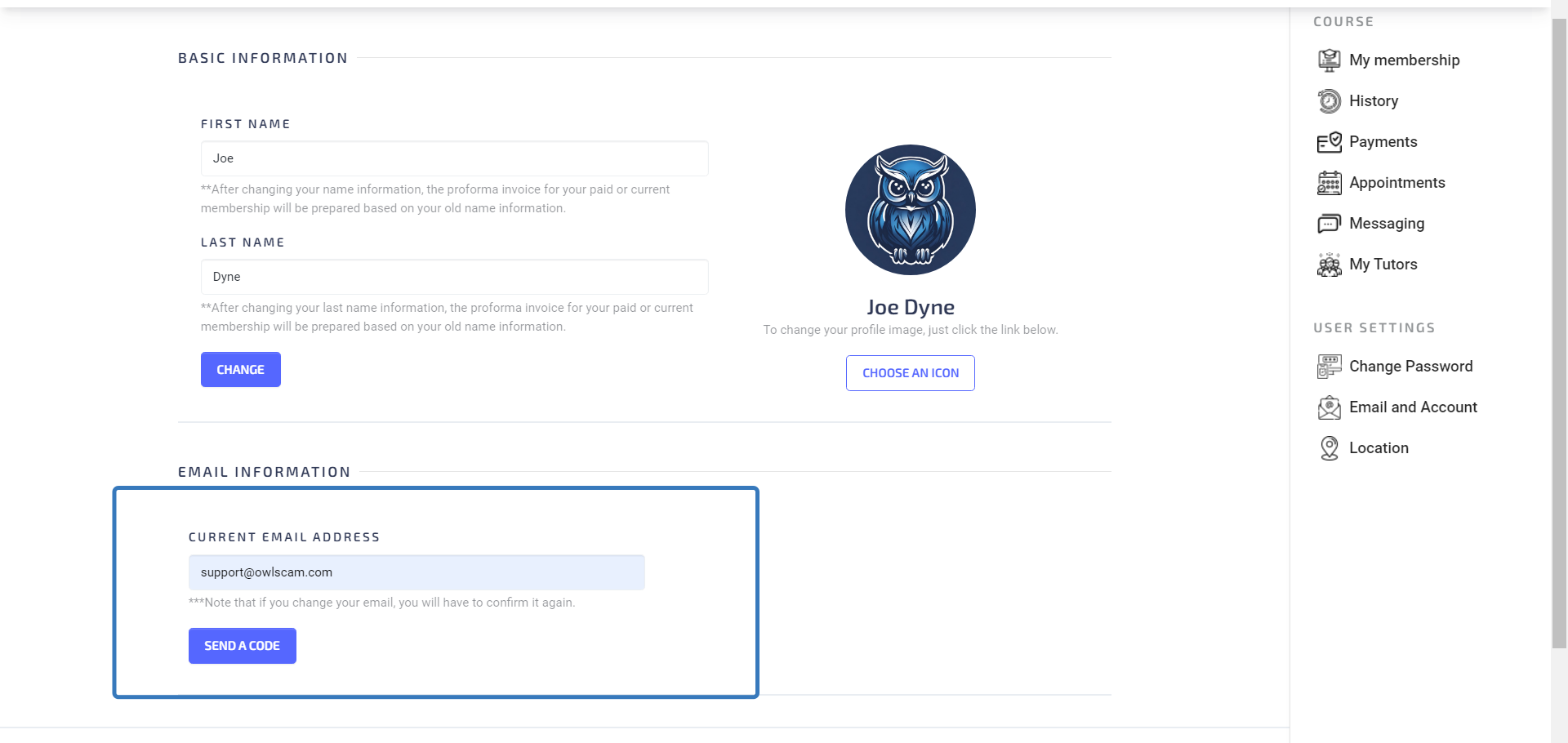
1.Send a code
First, log in to your account, then enter your current e-mail address in the e-mail information section in the e-mail and account section from the menu on the left, and then click on the send a code button.
2.Update new e-mail
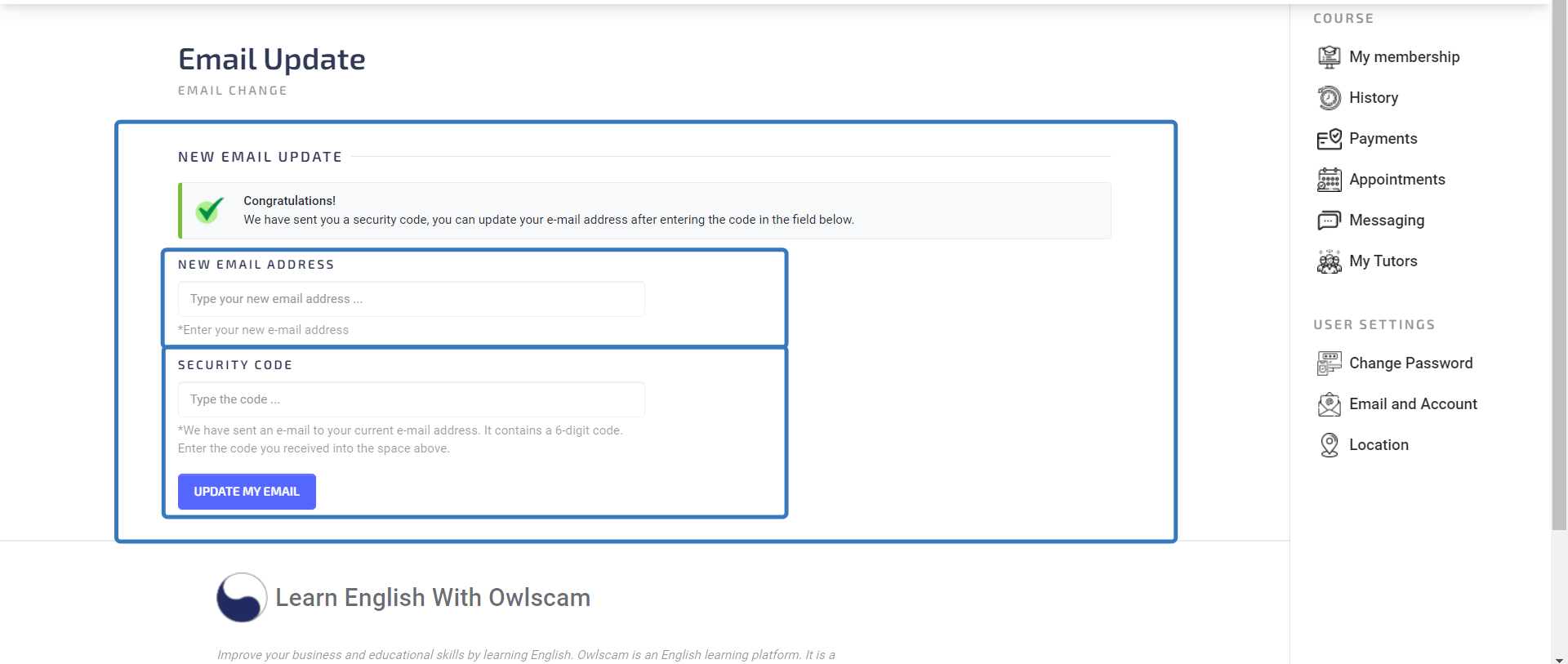
After following the first step, you will be directed to the page in the picture below. You must enter your new e-mail address and the special activation code sent to your current e-mail address, then click on the update my e-mail button. After completing these steps correctly, you should have successfully updated your e-mail address.
Any questions? Contact us at support@owlscam.com